
TL;DR:
- School website compliance is a vital legal and governance requirement that reflects a school’s commitment to accessibility and transparency. Schools must proactively meet WCAG 2.2 Level AA standards, regularly audit, update accessibility statements, and integrate compliance into organization culture rather than viewing it as a one-off task. Leadership and governance play a crucial role in maintaining ongoing compliance, ensuring responsibilities are clear and standards are consistently upheld.
School website compliance is not a box-ticking exercise. It is a legal duty, a governance responsibility, and a direct reflection of how your school treats every member of its community. Understanding the role of website compliance in education means recognising that your website is a public-facing obligation as much as a communications tool. From the Equality Act 2010 to the Department for Education’s publication requirements, the regulatory framework is specific, enforceable, and evolving. This article gives you a clear picture of what compliance actually requires, and how to manage it as an ongoing responsibility rather than a one-off task.
Table of Contents
- Key takeaways
- The role of website compliance in education
- WCAG 2.2 and what it actually means for your site
- Governance: keeping compliance alive, not just launching it
- Maintained schools vs academies: what the requirements look like
- Best practices for sustained website compliance
- Why compliance culture beats compliance projects
- How eSchools helps schools stay compliant
- FAQ
Key takeaways
| Point | Details |
|---|---|
| Compliance is a legal duty | Schools must meet obligations under the Equality Act 2010 and the 2018 Accessibility Regulations, not just DfE guidance. |
| WCAG 2.2 AA is the standard | Your website must meet Level AA of WCAG 2.2, covering perceivability, operability, and assistive technology support. |
| Governance is ongoing | Compliance requires a repeating cycle of audits, remediation, documentation, training, and re-testing. |
| Accessibility statements are mandatory | Your statement must reflect the current state of your site and include routes for users to report issues. |
| MATs need centralised oversight | Multi-academy trusts benefit significantly from centralised compliance controls applied consistently across all schools. |
The role of website compliance in education
The legal and regulatory framework governing UK school websites is more specific than many school leaders realise. Three distinct bodies of law and regulation shape what your school must do.
The Equality Act 2010 places an anticipatory accessibility duty on all education providers. This means you cannot wait for a disabled user to complain before making adjustments. You must proactively review your website, act on audit findings, and provide relevant training before problems arise. The distinction between Part 3 (services and public functions) and Part 6 (education) of the Act matters here. Schools are subject to both, meaning that accessibility obligations apply to the website as a public service as well as to the educational experience it supports.
The Public Sector Bodies (Websites and Mobile Applications) Accessibility Regulations 2018 add a further, technical layer. These regulations require schools to:
- Meet WCAG 2.2 Level AA across their website
- Publish an explicit accessibility statement that details current compliance status, any known issues, and remediation plans
- Provide a route for users to report accessibility barriers
- Respond within a defined period to complaints referred to the Equality and Human Rights Commission (EHRC)
The EHRC is the enforcement body. It has the power to investigate and take action against public sector organisations that fail to meet these requirements.
Finally, the DfE sets specific publication duties for maintained schools and academies. These include publishing policies, curriculum information, governors’ details, and financial information online. The scope varies slightly depending on school type, but the expectation of transparency is consistent across both. Ofsted also expects to see evidence of compliance with these duties during inspection.
WCAG 2.2 and what it actually means for your site
WCAG 2.2 is the technical standard your school website must meet. Published by the World Wide Web Consortium, it covers diverse disabilities and is built around four core principles: perceivable, operable, understandable, and robust. Each principle contains testable success criteria, and Level AA is the legally required threshold for public sector websites.
In practice, WCAG 2.2 AA means your website must work for users who rely on screen readers, keyboard navigation, or other assistive technology. It must have sufficient colour contrast, meaningful alt text on images, clearly labelled form fields, and logical heading structures. WCAG 2.2 specifically enhances requirements around cognitive disabilities and mobile accessibility, going further than its predecessor WCAG 2.1.

One of the most common misunderstandings is that automated scanning tools can confirm compliance. They cannot. Automated tools combined with human evaluation are both required, because many accessibility barriers only become visible during real user interaction. A tool can flag missing alt text, but it cannot judge whether the alt text provided is meaningful or appropriate.
Common accessibility failures seen on school websites include:
- Images uploaded without alt text, or with unhelpful descriptions such as “image1.jpg”
- PDFs that have not been tagged for screen reader access
- Navigation menus that cannot be operated by keyboard alone
- Videos without captions or transcripts
- Colour combinations that fail contrast ratio requirements
Pro Tip: Use a combination of automated tools such as Axe or WAVE for initial scanning, then follow up with a structured manual review using the WCAG 2.2 success criteria as your checklist. This approach catches what automated scans miss.
While the legal minimum is WCAG 2.1 Level AA, public sector organisations are increasingly expected to implement WCAG 2.2 AA. Upgrading now puts your school ahead of the compliance curve and serves your users better.
Governance: keeping compliance alive, not just launching it
This is where most schools struggle. Website compliance breaks down not at launch but over time, as staff upload documents, update content, and change pages without understanding the accessibility implications. Compliance breaks down at boundaries between teams, between content owners, and between your school website and the third-party tools embedded within it.
Managing compliance as ongoing governance requires a clear cycle. Follow these steps to maintain a compliant website over time:
- Audit your website against WCAG 2.2 AA using both automated tools and manual testing. Document every issue found.
- Remediate identified issues in priority order, using the WCAG 2.2 success criteria as your prioritisation map to assign fixes to the right team members.
- Update your accessibility statement to reflect the outcome of the audit, including any outstanding issues and your timeline for fixing them.
- Train all content contributors on accessible publishing practices. This covers alt text, heading structures, link descriptions, and accessible document formats.
- Re-test after significant content changes or redesigns, and repeat the cycle. Linking audits to your content review calendar prevents gaps from opening up.
Your accessibility statement deserves particular attention. A mismatch between your statement and your site is one of the most common compliance failures identified by regulators. If your statement claims full WCAG 2.1 AA compliance but your site has unresolved issues, you are not just non-compliant. You are also providing inaccurate information to users.
Pro Tip: Assign a named accessibility lead in your school. This person does not need to be a technical expert, but they do need authority to halt the publication of non-compliant content and to escalate issues to leadership.
When procuring a new CMS or third-party tool, require written confirmation of WCAG 2.2 AA compliance before signing contracts. Many schools inherit accessibility problems from suppliers who have never been held to this standard.
Maintained schools vs academies: what the requirements look like
The obligations are broadly similar for maintained schools and academies, but there are differences in the specific publication duties each must meet. The table below summarises the key requirements.
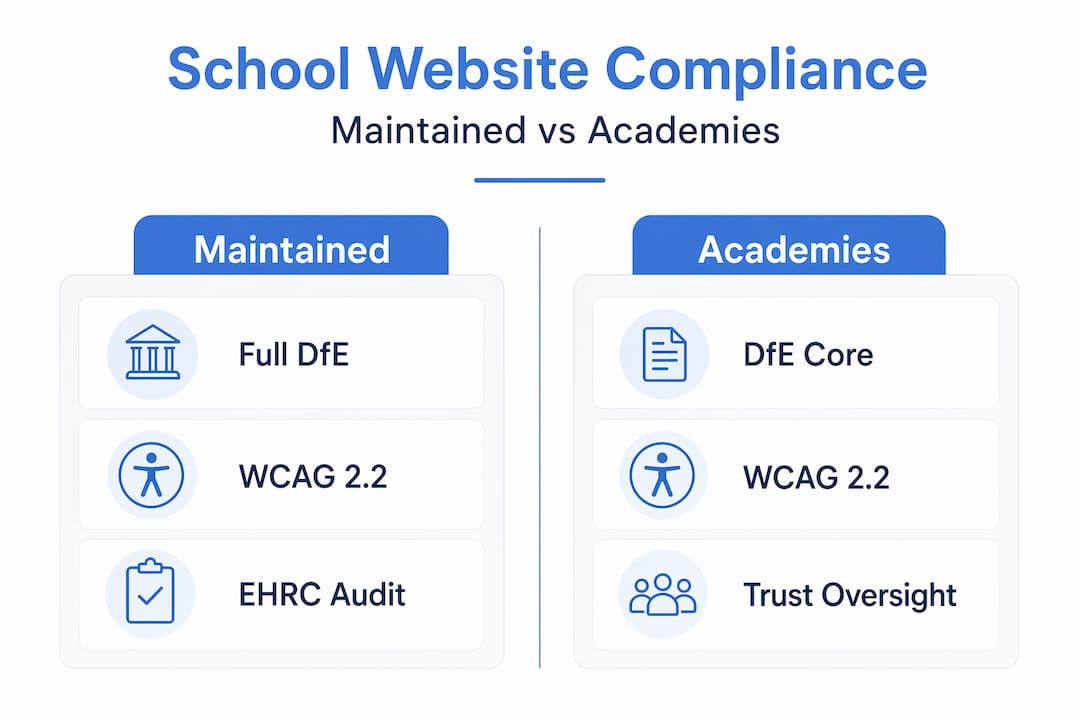
| Requirement | Maintained schools | Academies |
|---|---|---|
| DfE statutory publication duties | Yes, full list | Yes, with some variation |
| Accessibility statement | Mandatory | Mandatory |
| Governors/trustees information | Required | Required |
| Curriculum and policy documents | Required | Required |
| Ofsted inspection reports | Required | Required |
| Financial information | Required (including Consistent Financial Reporting) | Required (including annual accounts) |
| MAT-wide compliance oversight | N/A | Applicable where part of a trust |
For multi-academy trusts, centralised compliance control is both practical and strategically sound. Rather than relying on each individual school to manage its own website compliance independently, a trust can set shared templates, apply consistent accessibility standards, and conduct trust-wide audits. This significantly reduces the risk of individual schools falling behind.
When redesigning or migrating a school website, compliance must be part of the project brief from day one. Treat the DfE publication requirements as a checklist that informs your information architecture, not something to address after the site goes live.
Best practices for sustained website compliance
Maintaining compliance is a team effort, not an IT department task. The most effective schools treat it as a shared organisational responsibility. Here are the practices that make the most difference:
- Conduct regular audits. Schedule automated scans monthly and full manual audits at least annually, or after any significant website update.
- Appoint accessibility champions. These are staff members across curriculum, admin, and IT who understand accessible content creation and serve as a first line of review.
- Train content contributors. Accessible publishing training should cover alt text, heading use, link text, and how to create accessible PDFs and Word documents.
- Vet third-party tools. Every embedded calendar, payment portal, or booking system adds to your compliance surface. Require accessibility conformance statements from all suppliers.
- Respond formally to complaints. When a user reports an accessibility barrier, log it, investigate it, and respond. This is both a legal obligation and an opportunity to improve.
For school leaders who want a clear picture of their current obligations, the accessibility guide for UK leaders provides a solid starting point for reviewing your site against current standards.
Why compliance culture beats compliance projects
My honest view, having worked closely with schools on digital strategy for years, is that the compliance problem is rarely a technical one. It is a cultural one.
Schools that struggle with sustained compliance tend to share a common pattern. Leadership treats the website as an IT issue, delegates it entirely to one person, and only revisits it when Ofsted is approaching or a complaint arrives. A one-time remediation project solves the problem temporarily. Without a change in how the organisation thinks about its website, the same issues return within twelve months.
What I have seen work is treating accessibility as a professional standard, in the same way schools treat safeguarding documentation or financial reporting. It belongs in governance conversations. It belongs in induction training for new staff. It belongs in the questions you ask when procuring any digital tool.
The evolving nature of standards reinforces this point. The move from WCAG 2.1 to 2.2 is not the last update. Standards will continue to develop, and schools that have built a compliance governance structure will adapt far more easily than those relying on one-off fixes.
The accountability question is also worth naming directly. If your website has an accessibility statement that is twelve months out of date, that is a governance failure. It sits with leadership, not IT. Owning that responsibility is the first step towards getting it right.
— Ed
How eSchools helps schools stay compliant
If you want to remove the guesswork from school website compliance, Eschools has the tools and the experience to support you.

Eschools builds school websites designed from the ground up to meet DfE publication requirements and WCAG accessibility standards. Every site includes an accessibility statement, a clear information structure, and regular compliance updates as regulations change. For multi-academy trusts, the MAT website platform gives central teams oversight and control across all schools in the trust, without removing the flexibility individual schools need. You can see examples of this in practice across Eschools’ portfolio of school work. If your website is due for a review or a full rebuild, now is the right time to start that conversation.
FAQ
What does website compliance mean for schools?
School website compliance means meeting legal obligations under the Equality Act 2010, the Public Sector Bodies Accessibility Regulations 2018, and DfE publication requirements. It covers accessibility standards, the publication of specific information, and maintaining an up-to-date accessibility statement.
What WCAG level must school websites meet?
School websites must meet WCAG 2.2 Level AA as the current standard expected of public sector organisations, though the legal minimum remains WCAG 2.1 Level AA. Both automated and manual testing are required to confirm compliance.
How often should schools audit their websites?
Schools should run automated accessibility scans at least monthly and conduct full manual audits annually, or after any significant content change or website redesign. Accessibility statements must be updated to reflect the findings of each audit.
Do academies and maintained schools have different compliance duties?
Both types of school share the core accessibility obligations, but the DfE’s specific publication requirements vary slightly between maintained schools and academies. Academies that are part of a multi-academy trust also have additional financial transparency duties.
Who is responsible for school website compliance?
Responsibility sits with school leadership and governance, not solely with IT staff. Named accessibility leads help manage day-to-day compliance, but accountability for the website’s legal and regulatory status rests at a senior level.