
TL;DR:
- A staff portal is a secure, central platform for communication, document storage, and operational tools.
- Modern portals enhance efficiency with features like automated notifications, role-based dashboards, and compliance tracking.
- Fully leveraging a staff portal requires cultural adoption and integration into daily routines, not just initial implementation.
Many school leaders think of a staff portal as little more than a digital noticeboard, a place to post announcements and leave documents to gather virtual dust. That assumption is costing schools time, money, and compliance confidence. A well-implemented staff portal is the operational backbone of a modern UK school, handling everything from absence management and safeguarding data to scheduling, messaging, and statutory policy storage. In this guide, we define what a school staff portal actually is, break down its core functions, compare the main types available to UK schools, and share practical examples of how it transforms day-to-day operations.
Table of Contents
- Defining a school staff portal
- Key features and technology behind staff portals
- Comparing types of staff portals: Commercial, government, and MIS embedded
- Real-world benefits: Practical examples from UK schools
- Why most schools underestimate staff portals and how to harness their full potential
- Explore efficient staff portals and digital tools for your school
- Frequently asked questions
Key Takeaways
| Point | Details |
|---|---|
| Centralised communication | A school staff portal brings all staff information, tasks, and messages into one secure, digital hub. |
| Enhanced security | Modern portals use multi-factor authentication and access controls to protect sensitive school data. |
| Operational efficiency gains | Automated notifications, dashboards, and supply staff features streamline daily operations and reduce admin workload. |
| Customisable for all staff | Portals can be tailored to schools’ changing needs, including MATs and agency/supply staff. |
| Quick setup and ongoing support | Most platforms offer guided onboarding with setup completed in just a few weeks for UK schools. |
Defining a school staff portal
A school staff portal is a secure, centralised digital platform that gives all members of staff a single point of access to the information, tools, and communication channels they need to do their jobs. Think of it as the operational hub of your school, sitting behind a login screen and replacing the scattered mix of emails, paper memos, shared drives, and verbal briefings that most schools still rely on.
The contrast with older methods is stark. When a policy changes, traditional approaches mean printing copies, distributing them to pigeonholes, and hoping everyone reads them. A staff portal pushes a notification instantly, stores the updated document in a searchable library, and logs who has acknowledged it. That audit trail alone has significant value at Ofsted inspection time.
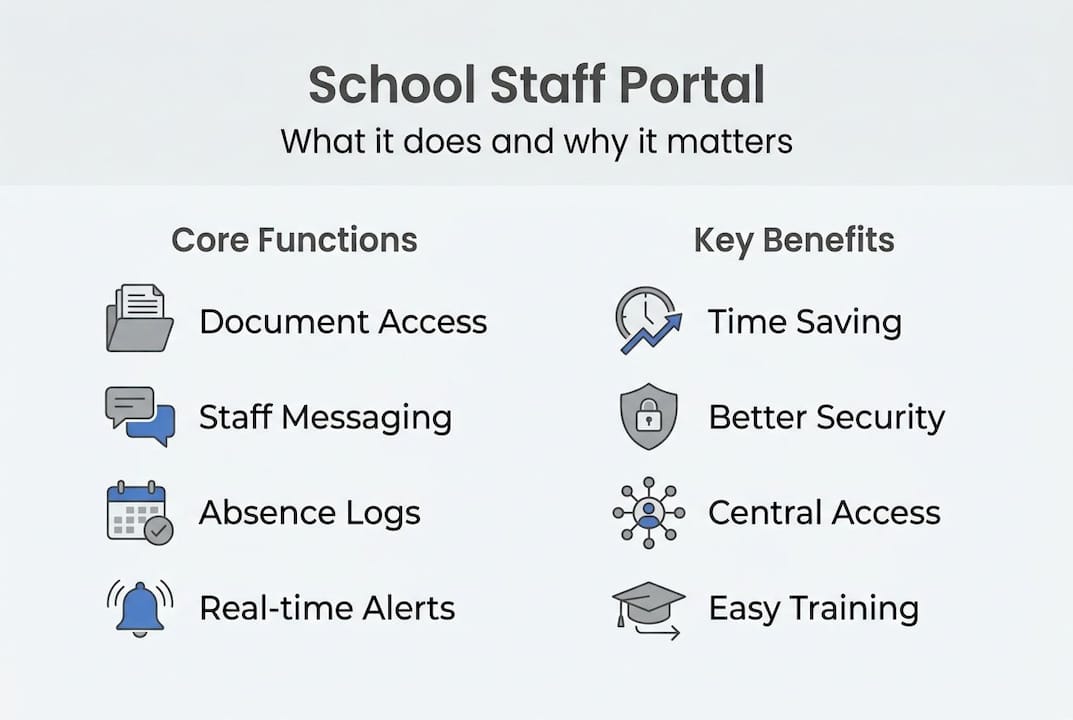
Core functions typically include:
- Centralised document storage: Policies, risk assessments, and statutory guidance in one searchable location
- Messaging and announcements: School-wide or targeted alerts replacing email chains
- Absence and cover management: Staff can log absences, and cover arrangements are updated automatically
- Scheduling and calendar tools: Meetings, training days, and events visible to all relevant staff
- Access to student data: Attendance, behaviour logs, and SEND information for authorised staff
- Timesheet management: Particularly relevant for supply staff and agency bookings
- Compliance tracking: Monitoring policy sign-offs, DBS renewal dates, and mandatory training completion
24/7 cloud-based access, security dashboards, and automated notifications mean most commercial portals can be set up and running within a matter of weeks, making adoption more achievable than many schools expect.
It is worth clarifying terminology here. A Management Information System (MIS) such as SIMS or Arbor manages student data at a deeper level and is often a separate system, though some portals integrate with it. A parent portal is a different tool entirely, focused on family-facing communication. The staff portal sits between these, serving your internal team and school portal functions that keep daily operations running smoothly.
Key features and technology behind staff portals
After understanding what a staff portal is, the next step is to explore how these platforms actually function and what sets them apart technologically.
Modern staff portals are built on cloud infrastructure, meaning there is no server to maintain on-site and staff can access the platform from any device, at any time. Cloud-based deployment provides 24/7 access, multi-factor authentication (MFA) for security, intuitive dashboard navigation, and automated notifications that keep staff informed without inbox overload.
The key components of a well-built portal include:
- Authentication layer: Staff log in using secure credentials, with MFA adding a second verification step. Session timeouts protect sensitive data if a device is left unattended.
- Role-based dashboards: A class teacher sees different information from a cover supervisor or a headteacher. Permissions are set by the administrator to ensure appropriate access.
- Notification engine: Alerts are pushed for new documents, absence requests, policy updates, or urgent school-wide messages.
- Resource library: A structured, searchable store for all school documentation, replacing shared drives and email attachments.
- Task and workflow tools: Staff can be assigned tasks, mark them complete, and administrators can track progress across the whole school.
For schools with more complex needs, cloud access for staff across multiple sites is a significant advantage. Multi-academy trusts (MATs) can grant staff access to trust-wide resources whilst maintaining site-specific permissions. Supply staff can be given temporary, restricted access that expires automatically.
Onboarding is usually straightforward. Most commercial providers offer guided setup, training sessions, and ongoing support. The about eSchools page outlines how a provider with over 14 years of experience approaches this, prioritising simplicity and staff confidence from day one. Many schools also find that a staff portal on mobile dramatically increases engagement, particularly for staff who are not desk-based.
Pro Tip: Assign user permissions carefully from the outset. Over-permissioning staff creates data protection risks, whilst under-permissioning creates frustration and workarounds. Review access levels termly as roles change.
Comparing types of staff portals: Commercial, government, and MIS embedded
Knowing the features and technology, it is useful to see how different staff portal options compare, so you can choose what fits your school’s context.
Not all staff portals are the same. General staff portals designed for agency or supply use differ significantly from MIS-embedded solutions or government-provided platforms in terms of flexibility, audience, and depth of functionality.
| Type | Best for | Key benefits | Flexibility | Integration |
|---|---|---|---|---|
| Commercial (e.g., eSchools, IRIS) | All school types, MATs | Full feature set, support, customisation | High | Strong MIS links |
| Government (e.g., NCA tools) | State schools requiring statutory access | Free, DfE-aligned, compliance-focused | Low | Limited |
| MIS-embedded (e.g., Arbor, SIMS) | Schools already using that MIS | Seamless data flow, single login | Medium | Native |
| Agency/supply focused | Supply-heavy schools, agencies | Booking, timesheets, cover management | Medium | Varies |
Commercial platforms offer the broadest functionality and are particularly well suited to schools that want a single tool covering communication, compliance, and operations. Staff dashboard features in platforms like eSchools are designed to be intuitive, reducing the training burden on busy school administrators.

Government portals, such as the NCA tools site, serve a specific statutory purpose and are not designed to replace a full staff portal. They are a complement, not a substitute.
For centralised MAT portals, commercial solutions tend to offer the most flexibility, allowing trust leaders to share resources, policies, and communications across all schools whilst maintaining individual school identities.
Primary schools with smaller teams often find MIS-embedded solutions sufficient. Larger secondary schools and MATs typically benefit most from a dedicated commercial platform with deeper functionality and dedicated support.
Real-world benefits: Practical examples from UK schools
Understanding the types available, let us see how real schools apply staff portals to everyday challenges and what results they achieve.
The practical impact of a well-used staff portal becomes clear quickly. Schools report time savings, fewer administrative errors, and stronger compliance records within the first term of adoption. Here are the most common operational improvements:
- Absence and cover: Staff log absences directly in the portal, triggering automatic cover allocation and notifying relevant colleagues, removing the early-morning phone scramble
- Compliance forms: Mandatory training completion, DBS renewal reminders, and policy acknowledgements are tracked automatically
- Instant alerts: A safeguarding concern, a site closure, or a last-minute timetable change reaches all staff immediately
- Document control: Version-controlled policies mean staff always access the current document, reducing the risk of outdated guidance being followed
A multi-academy trust using centralised dashboards can share a safeguarding policy update across eight schools simultaneously, with read-receipt tracking confirming compliance. A supply-heavy secondary school using a dedicated agency portal can manage bookings, issue digital timesheets, and reconcile invoices without a single paper form.
| Benefit area | Reported time saving | Impact |
|---|---|---|
| Absence management | Up to 45 minutes per week per admin | Faster cover, fewer errors |
| Policy distribution | Up to 2 hours per policy update | Full audit trail for Ofsted |
| Staff communication | Up to 30 minutes daily | Fewer missed messages |
| Compliance tracking | Up to 3 hours per audit | Confidence at inspection |
Handling edge cases matters too. Inactivity timeouts and dual registration management support secure, flexible usage for split-site staff and supply teachers with temporary access. Schools using staff event booking tools within their portal also report smoother parents’ evening coordination as a secondary benefit.
For schools looking at the broader picture, UK school efficiency case studies show that digital tools consistently reduce administrative burden when they are embedded into daily routines rather than treated as optional extras.
Pro Tip: Appoint a portal champion within your school, ideally a respected member of the admin or leadership team, who takes ownership of adoption, answers staff questions, and feeds back improvement suggestions to your provider.
Why most schools underestimate staff portals and how to harness their full potential
Here is an uncomfortable truth: most schools that invest in a staff portal use roughly 40% of its capability. The remaining 60% sits idle, not because the features are poor, but because adoption was treated as a technical project rather than a cultural one.
The misconception is that once the portal is live, the work is done. In reality, the portal only delivers value when staff use it habitually, when leadership models that behaviour, and when processes are redesigned around it rather than bolted on top of existing ones. Schools that truly embed their portals stop using email for internal announcements entirely. They run school improvement planning through the portal. They document CPD impact and share cross-site best practice through shared resource libraries.
The future of staff portals points towards deeper integration with collaborative tools in schools, safeguarding data systems, and real-time analytics that help leaders spot operational risks before they become problems. Schools that treat their portal as a strategic asset, rather than a digital filing cabinet, are the ones that see transformational results.
Explore efficient staff portals and digital tools for your school
If this guide has highlighted gaps in how your school currently manages staff communication and operations, you are not alone. Most schools we speak to are managing with a patchwork of tools that create more friction than they solve.

eSchools has supported UK schools and multi-academy trusts for over 14 years, providing digital tools that are straightforward to implement and genuinely used by staff. Explore our work to see how schools like yours have improved efficiency and compliance. If you lead or support a trust, our MAT solutions are built for exactly the kind of cross-site coordination that manual processes cannot sustain. You can also explore our guidance on classroom tools to see how staff portals fit into a broader digital strategy.
Frequently asked questions
What functions does a school staff portal typically offer?
A staff portal provides secure access to documents, messaging, scheduling, staff absence management, and real-time notifications for daily tasks. Cloud-based platforms deliver these functions with 24/7 availability and dashboard navigation designed for busy school staff.
How long does it take to set up a staff portal in a UK school?
Most portals are ready within weeks, with guided onboarding sessions ensuring staff feel confident from the start rather than overwhelmed by a new system.
What security measures protect data in staff portals?
Staff portals use MFA and inactivity timeouts alongside role-based permissions to ensure only authorised staff can access sensitive information, keeping your school GDPR-compliant.
Are there specialist staff portals for supply teachers?
Yes. Some platforms offer dedicated supply modules covering bookings, digital timesheets, and cover management, making them particularly useful for schools with high agency staff usage.
Can staff portals integrate with a school’s MIS?
Many modern staff portals offer seamless integration with popular MIS platforms, and MIS-embedded solutions provide native data sharing for schools that prefer a single-system approach.