
TL;DR:
- Schools must assess infrastructure, governance, and staff capacity before investing in edtech.
- Developing a living digital strategy aligned with standards improves implementation and long-term impact.
- Evidence-based pilots and phased rollout are key to successful, sustainable edtech integration.
Balancing technology investment against tight budgets, staff capacity, and safeguarding responsibilities is one of the most pressing challenges facing school leaders today. Get it right and you unlock measurable gains in communication, operational efficiency, and staff wellbeing. Get it wrong and you risk wasted spend, frustrated teachers, and widening digital inequalities across your school community. This guide walks you through every stage of edtech integration, from assessing your current readiness to measuring long-term impact, drawing on DfE standards, UK research, and practical frameworks that work in real school settings.
Table of Contents
- Assessing your school’s digital readiness
- Planning your technology integration strategy
- Selecting and deploying effective edtech tools
- Verifying impact and ensuring sustainable improvement
- A fresh perspective: Why balanced edtech integration is essential
- Next steps: How eSchools supports your technology integration
- Frequently asked questions
Key Takeaways
| Point | Details |
|---|---|
| Start with infrastructure | Ensure broadband, network, filtering and cybersecurity are up to DfE standards before rolling out classroom tools. |
| Pilot, review and refine | Test digital tools with structured staff involvement, review their impact annually, and make evidence-based adjustments. |
| Balance innovation and safety | Embrace AI and new technologies but prioritise teacher-led approaches and ensure compliance with safeguarding requirements. |
| Centralise decision-making | Multi-Academy Trusts can improve efficiency by standardising procurement and technology choices across sites. |
| Protect against digital inequality | Use evidence-backed selection and support for CPD to avoid widening access gaps among staff and students. |
Assessing your school’s digital readiness
Before you invest in a single new tool, you need an honest picture of where your school stands. Digital readiness is not just about having devices in classrooms. It covers infrastructure, governance, policy, and people.
The DfE has established six core standards for schools to meet by 2030: broadband internet, wireless network, network switching, digital leadership and governance, filtering and monitoring, and cyber security. These standards form a practical baseline. If your school cannot reliably deliver fast, filtered internet across all teaching spaces, no classroom tool will perform as intended.
Here is a quick checklist to assess your current position:
- Broadband and wireless: Can every teaching space access a stable, high-speed connection?
- Network switching: Is your network infrastructure capable of handling increased device load?
- Filtering and monitoring: Are your safeguarding systems compliant with Ofsted and DfE expectations?
- Cyber security: Do you have documented policies, staff training, and incident response plans?
- Digital leadership: Is there a named lead responsible for your school’s digital strategy?
- Governance: Does your governing body receive regular updates on digital risk and investment?
Beyond infrastructure, the human barriers are just as significant. Budget constraints affect 95% of school leaders, while lack of continuing professional development (CPD) and interoperability issues with management information systems (MIS) consistently rank as major obstacles to successful edtech adoption.
| Readiness area | Common barrier | Practical first step |
|---|---|---|
| Infrastructure | Inconsistent connectivity | Audit broadband speed per room |
| Safeguarding | Outdated filtering systems | Review against DfE standards |
| Staff capacity | Limited CPD time | Schedule protected training slots |
| Governance | No digital lead | Appoint a named digital champion |
For schools working within multi-academy trusts, a trust-wide readiness audit can surface shared infrastructure gaps and create economies of scale when addressing them. You can also use our DfE Tracker to monitor your compliance position against current requirements.
Pro Tip: Invest in infrastructure before classroom tools. A reliable, filtered network is the foundation everything else depends on. Skipping this step is the single most common reason edtech pilots fail.
Planning your technology integration strategy
Once you know where your school stands, the next step is building a strategy that connects technology decisions to your operational and communication goals. A digital strategy should not sit in a drawer. It needs to be a living document, reviewed annually and aligned to DfE benchmarks.
The DfE guidance on digital and financial planning recommends embedding digital priorities into your annual school improvement cycle, using the six core standards as benchmarks, and focusing on interoperability to maximise efficiency gains across communication and operations.
Here is a practical approach to building your strategy:
- Audit and baseline: Use your readiness checklist to document current gaps.
- Set measurable goals: Define what success looks like, whether that is reduced admin time, improved parent communication, or streamlined reporting.
- Involve staff early: Teachers and support staff who help shape the strategy are far more likely to adopt new tools consistently.
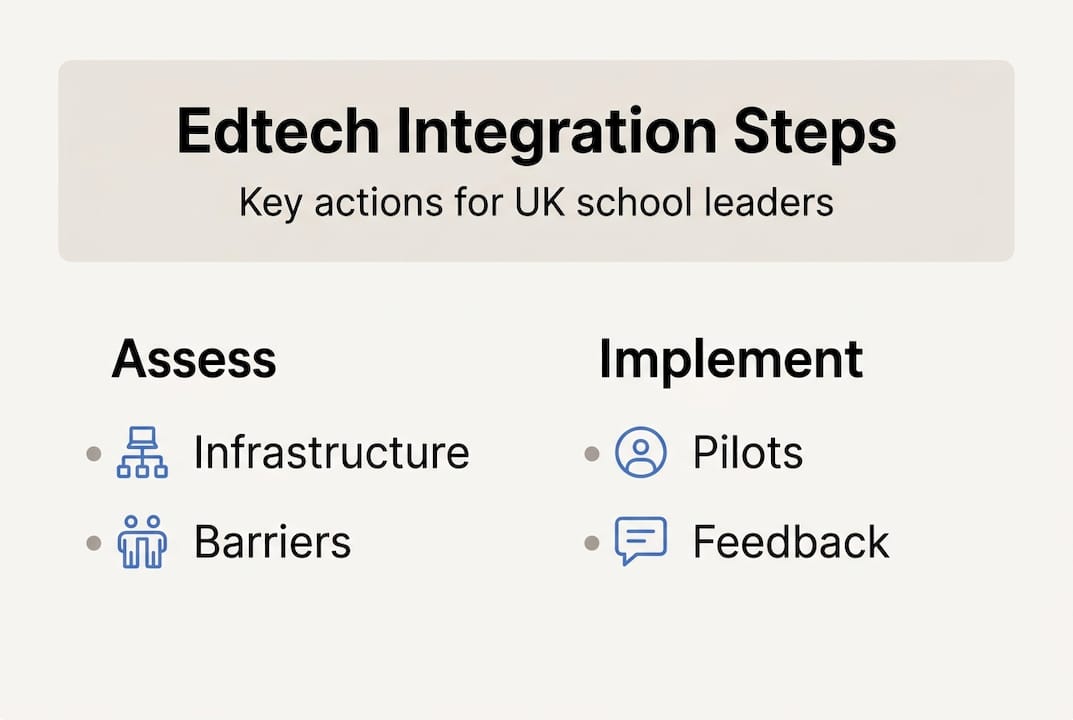
- Phase your pilots: Introduce tools in controlled, time-limited pilots before school-wide rollout.
- Build in CPD: Every tool deployment should include structured training. Addressing CPD barriers early prevents adoption stalling after launch.
- Review annually: Set a fixed date each year to assess impact data and adjust priorities.
The DfE Technology in Schools Survey shows 61% of leaders report reduced workload from technology. That figure only holds where strategy is deliberate and tools are chosen for specific outcomes, not novelty.
| Approach | Centralised (MAT-led) | Distributed (school-led) |
|---|---|---|
| Procurement | Cost-efficient, consistent | Flexible, context-specific |
| CPD | Scalable across schools | Tailored to local needs |
| Risk | Slower to adapt | Higher variation in quality |
| Best for | Infrastructure, MIS, compliance | Classroom tools, pedagogy |
For a broader view of what is available, our guide to top edtech solutions and an overview of digital classroom tools can help you match tools to your specific goals.
Pro Tip: Run evidence-led pilots with a defined success metric before committing budget. A six-week pilot with clear data collection costs far less than a school-wide rollout of a tool that does not deliver.
Selecting and deploying effective edtech tools
Strategy without execution is just a document. When it comes to selecting and deploying tools, the criteria you use matter enormously. Not every tool that promises efficiency will deliver it in your specific context.
Use these criteria when evaluating any new edtech solution:
- Interoperability: Does it integrate cleanly with your existing MIS and communication platforms?
- Data privacy: Is it compliant with UK GDPR and your school’s data protection policy?
- Workload impact: Does evidence suggest it reduces, rather than adds to, staff workload?
- Accessibility: Can all pupils access it, regardless of device or home connectivity?
- Support: What training and ongoing support does the provider offer?
44% of teachers now use generative AI for planning, with some reporting savings of three to four hours per week. That is a significant efficiency gain. But the same research highlights that budget constraints affect 95% of leaders, and that disparities in access risk widening inequalities if tool selection is not evidence-based.
“Schools should be cautious about over-relying on AI-generated content without teacher review. Accuracy, bias, and safeguarding risks require human oversight at every stage.” DfE guidance on AI in schools.
For communication specifically, tools that automate routine parent updates, streamline absence reporting, and centralise staff messaging can deliver the fastest visible returns. Explore approaches to improving online learning and how online assessment can support better pupil outcomes. For staff collaboration, online collaboration tools reduce the reliance on email chains and fragmented communication.
Deploy in phases. Start with the staff most willing to engage, gather structured feedback, and refine before expanding. This approach protects your budget and builds genuine buy-in.

Verifying impact and ensuring sustainable improvement
Deploying tools is not the finish line. Without a clear process for measuring impact, you cannot know whether your investment is delivering value or quietly creating new problems.
Here is a practical cycle for tracking edtech impact:
- Baseline data: Before deployment, record current metrics, such as time spent on admin tasks, parent communication response rates, or staff satisfaction scores.
- Midpoint check: At four to six weeks, run a short staff survey to capture early feedback and flag issues before they escalate.
- End-of-term review: Compare against your baseline. Has workload reduced? Has communication improved? Are there safeguarding concerns to address?
- Annual strategy review: Feed findings into your digital strategy update, adjusting priorities based on evidence.
| Metric | How to measure | Review frequency |
|---|---|---|
| Staff workload | Staff survey, time-on-task data | Half-termly |
| Parent engagement | Portal logins, message open rates | Half-termly |
| Safeguarding compliance | Filtering logs, incident reports | Termly |
| Pupil access equity | Device and connectivity audits | Annually |
The DfE emphasises teacher-led integration over technology replacement. This is an important distinction. The goal is to free up teacher time and reduce administrative burden, not to automate teaching itself. Sustainable improvement comes from tools that support professional judgement, not replace it.
For guidance on reviewing online learning impact and identifying the right efficiency solutions for your school, we have resources that make this process straightforward.
A fresh perspective: Why balanced edtech integration is essential
Here is something worth saying plainly: the schools that struggle most with edtech are rarely the ones with the smallest budgets. They are the ones that chase tools without a strategy, or roll out technology school-wide before understanding whether it actually works.
The DfE is clear that teacher-led integration outperforms technology-first approaches. Yet the pressure to appear digitally progressive can push leaders into decisions that look impressive on paper but deliver little in practice.
Our view, shaped by over 14 years of working with UK schools, is this: the most effective edtech integrations are quiet ones. They reduce friction, save time, and make communication easier. They do not require a rebrand or a whole-school training day every term. When you are choosing classroom tools, ask whether the tool solves a real problem your staff already feel. If the answer is not immediate, keep looking.
Pro Tip: Use ‘fail-fast’ pilots. A four-week trial with a small group of staff, clear success criteria, and a decision gate at the end is far more valuable than a year-long rollout that nobody wants to admit has failed.
Next steps: How eSchools supports your technology integration
Putting this guide into practice is much easier when you have the right partner alongside you. eSchools has spent over 14 years helping UK schools and trusts streamline their digital operations, from bespoke school websites to communication platforms and parent engagement tools.

Whether you are leading a single school or managing technology across multi-academy trust sites, our solutions are built to reduce complexity, not add to it. Explore our full range of classroom tool options to find tools that match your goals, or browse our work to see how schools like yours have transformed their digital presence and operational efficiency with eSchools.
Frequently asked questions
What are the key DfE standards for educational technology in UK schools?
UK schools must meet six digital standards by 2030, covering broadband, wireless infrastructure, network switching, leadership and governance, filtering and monitoring, and cyber security.
How can UK schools overcome budget constraints when adopting new technology?
Prioritise infrastructure investment first, run evidence-led pilots before committing to full rollout, and centralise procurement across trusts to reduce costs. Budget constraints affect 95% of leaders, so phased investment with clear success criteria is essential.
What impact does AI and digital technology have on school workload?
61% of leadership teams report reduced workload from technology, and 44% of teachers use generative AI tools to save several hours each week on planning and preparation.
How should a digital strategy be reviewed and updated?
School digital strategies should be reviewed annually using DfE benchmarks and impact data collected throughout the year, ensuring priorities remain aligned with both operational needs and compliance requirements.