
TL;DR:
- Unified communication in schools integrates voice, video, messaging, and collaboration into a single platform. Most schools are shifting to UCaaS to enhance safety, reduce costs, and improve communication efficiency between staff, students, and parents. Proper implementation requires leadership commitment, staff training, and integration with legacy systems to maximize safety and operational benefits.
Unified communication (UC) in schools is defined as the integration of voice calls, video conferencing, instant messaging, and collaboration tools into a single platform accessible to staff, students, and parents. The industry term is Unified Communications as a Service (UCaaS), and 62.5% of educational institutions are already transitioning to these platforms to improve reliability, security, and budget predictability. Understanding what is unified communication in schools matters because fragmented tools create operational risk, not just inconvenience. Platforms such as Microsoft Teams and Zoom are now central to how schools manage everything from parent consultations to emergency alerts.
What is unified communication in schools?
Unified communication in schools brings together every channel your staff uses daily into one managed environment. Instead of teachers switching between a phone system, a separate email client, a video tool, and a messaging app, a UC platform presents all of these through a single interface. The result is fewer missed messages, faster decisions, and a clearer audit trail for safeguarding purposes.
The core components of a school UC platform typically include:
- Voice over IP (VoIP) and cloud PBX: Replaces traditional phone lines with internet-based calling, removing the need for costly on-site hardware.
- Video conferencing: Supports virtual classrooms, staff meetings, and remote parent consultations through tools like Microsoft Teams or Zoom.
- Instant messaging and presence indicators: Shows whether a colleague is available, in a lesson, or away, reducing unnecessary interruptions.
- Content sharing and collaboration: Allows teachers to share documents, whiteboards, and lesson resources in real time during a call or meeting.
- Email and calendar integration: Connects scheduling tools so that meetings, parent evenings, and staff briefings are coordinated automatically.
Pro Tip: When evaluating UC platforms, ask vendors specifically how their system handles bell schedules and PA announcements. Many schools overlook this until after deployment, and retrofitting it later adds cost and disruption.
A unified communication platform should serve as a central hub across all departments, reducing email overload and improving communication accuracy. That single-hub approach is what separates genuine UC from simply having multiple digital tools installed side by side.
What are the main benefits of unified communication for schools?
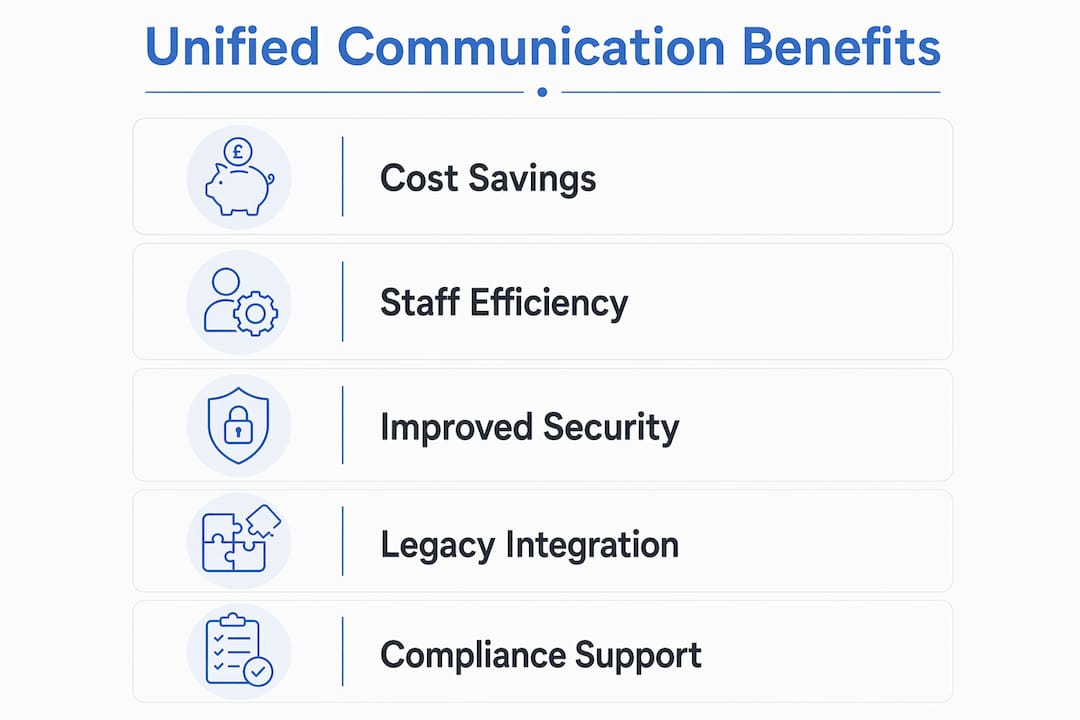
The benefits of unified communication in schools extend well beyond convenience. They affect budget, safety, staff wellbeing, and the quality of relationships between school and home.
-
Significant cost reduction. Adopting UC solutions can reduce annual IT costs by up to 40% and hardware capital expenditure by as much as 60%. For a school or multi-academy trust managing tight budgets, that is a material saving that can be redirected into teaching resources. Moving telephony and conferencing to the cloud removes the need to maintain ageing on-site servers and phone systems.
-
Recovered staff time. Teachers and administrators save 3–5 hours weekly through UC features such as automated scheduling and integrated meeting tools. Across a full academic year, that represents weeks of reclaimed professional time per member of staff. Less time spent chasing information means more time spent on teaching and pastoral care.
-
Faster, safer emergency response. Fragmented communication systems in schools create operational liability and delay critical responses during safety incidents. A UC platform can automate emergency alerts across an entire campus, improving response times and clarity when seconds count. Staff can initiate a lockdown notification or fire alert from any UC-enabled device, not just a fixed point.
-
Stronger collaboration between staff, students, and parents. When all parties communicate through one system, information is consistent and traceable. Parents receive updates through the same platform that teachers use for internal briefings, reducing the risk of conflicting messages. Explore how school communication software consolidates these workflows in practice.
-
Reduced communication silos. Separate tools for different departments create data sprawl and inconsistency. A unified environment means the SENCO, the headteacher, and the front office are all working from the same information, at the same time.
How does unified communication support security and compliance?
Security is not a secondary consideration in school UC deployments. Schools handle sensitive data about children, families, and staff, and that data is subject to UK GDPR and the Data Protection Act 2018.
A well-configured UC platform addresses this through several layers of protection:
- End-to-end encryption: All voice, video, and messaging traffic is encrypted in transit, preventing interception by unauthorised parties.
- Multi-factor authentication (MFA): Staff must verify their identity through a second method before accessing the platform, significantly reducing the risk of account compromise.
- Centralised access controls: Administrators can set permissions by role, so a teaching assistant cannot access the same data as a headteacher.
- Audit logs: Every communication event is recorded, supporting safeguarding investigations and Ofsted inspections.
- GDPR-compliant data storage: Reputable UC vendors store data within UK or EU data centres and provide data processing agreements that meet statutory requirements.
UC consolidation enables the application of uniform security protocols, including end-to-end encryption and mandatory MFA, which are essential for GDPR compliance. Consolidation itself is a security measure. Every additional tool your school uses is another potential entry point for a breach.
The human factor is equally significant. 68% of data breaches involve human error, according to the 2024 Verizon Data Breach Investigations Report. That figure underlines why identity governance and MFA within UC platforms are non-negotiable for educational environments. Technology alone does not protect a school. Staff training on access hygiene is equally critical.
Pro Tip: Before signing a UC contract, request the vendor’s data processing agreement and confirm where your school’s data will be stored. UK schools must be able to demonstrate GDPR compliance to the ICO, and a vague vendor response is a red flag.
For a deeper look at protecting student data online, the Eschools guide to online learning security covers GDPR, access controls, and practical safeguarding steps.
How can schools integrate UC with legacy systems?
Most schools do not start from a blank slate. You likely have an existing phone system, a PA system, bell schedules, and possibly a legacy PBX that has served the school for years. The good news is that full replacement is rarely necessary.

Integration of legacy systems like bell schedules and PA calls with UC platforms is best achieved via IP-based endpoints rather than a complete hardware replacement. This approach, sometimes called a hybrid deployment, connects your existing analogue infrastructure to a modern UC platform through Session Initiation Protocol (SIP) gateways or IP-based endpoints. The result is that your PA system can be triggered from a UC client, and your bell schedule can be managed centrally alongside your meeting calendar.
Traditional school PA systems are rigid, one-way, and costly to update. Integrating them with UC platforms via IP endpoints creates adaptable, multi-directional communication. That shift from one-way broadcasting to two-way, addressable communication is one of the most practical improvements a school can make.
The table below summarises the main approaches to UC integration in schools:
| Integration Approach | Best For | Key Benefit | Typical Disruption |
|---|---|---|---|
| Full cloud migration | New builds or schools replacing all hardware | Maximum flexibility and cost savings | High during transition |
| Hybrid IP/analogue | Schools with working legacy PBX or PA systems | Preserves existing investment | Low to moderate |
| SIP gateway connection | Schools with analogue phone lines | Connects old handsets to cloud UC | Minimal |
| IP endpoint replacement | Gradual modernisation over time | Phased cost and disruption | Very low |
Successful UC implementation requires mapping your existing infrastructure before selecting a platform. A vendor who does not ask about your current bell system, PA setup, or network capacity is not giving you an honest assessment. Cloud-based learning tools can complement this transition by moving classroom resources to the same cloud environment as your communications.
Key takeaways
Unified communication in schools delivers the greatest value when it is treated as safety-critical infrastructure, not simply an administrative upgrade.
| Point | Details |
|---|---|
| UC is a single platform | It consolidates voice, video, messaging, and scheduling into one managed environment for all users. |
| Cost savings are substantial | Schools can reduce annual IT costs by up to 40% and cut hardware expenditure by up to 60%. |
| Security requires both tech and training | MFA and encryption are non-negotiable, but 68% of breaches involve human error, so staff training matters equally. |
| Legacy systems can be preserved | Hybrid IP deployments connect existing PA and PBX infrastructure to modern UC platforms without full replacement. |
| Emergency readiness improves significantly | Automated alerts and decentralised alert controls mean staff can respond faster during safety incidents. |
Why schools cannot afford to treat UC as optional
I have seen schools invest in UC platforms and then use them as glorified phone systems. The technology is deployed, the licences are paid, and three months later staff are still emailing each other to arrange meetings and using personal mobile phones to contact parents in an emergency. That is not a technology failure. It is a leadership failure.
The schools that genuinely benefit from unified communication are the ones where the headteacher treats the platform as safety infrastructure from day one. When a lockdown procedure depends on a UC alert reaching every member of staff simultaneously, the platform is not a convenience. It is a critical system, and it deserves the same attention as fire safety equipment.
The second mistake I see repeatedly is ignoring the human security risk. Schools spend considerable effort configuring encryption and access controls, then allow staff to share login credentials because the MFA process feels inconvenient. The 2024 Verizon data is unambiguous: most breaches come from people, not software vulnerabilities. Build your UC rollout around that reality.
My practical advice is to start with a communication audit. Map every tool your school currently uses, identify where information gets lost or delayed, and then select a UC platform that addresses those specific gaps. Avoid the temptation to adopt the most feature-rich platform if your staff will only use 20% of its capabilities. Simplicity drives adoption, and adoption drives value.
— Ed
How Eschools supports schools with digital communication
If you are ready to move beyond fragmented tools and build a communication environment that genuinely serves your staff, students, and parents, Eschools has over 14 years of experience helping UK schools do exactly that.

Eschools provides school websites, learning platforms, parent evening booking systems, and text and email communication tools, all designed to work together within a single, manageable environment. Whether you lead a single school or a multi-academy trust, the platform scales to your needs without requiring specialist IT resource. See how schools across the UK have transformed their digital communication by exploring Eschools’ work with schools, or discover how the text and email tools can replace disconnected messaging systems with one reliable, compliant solution.
FAQ
What is unified communication in schools?
Unified communication in schools is the integration of voice, video, messaging, and collaboration tools into a single platform used by staff, students, and parents. The industry term is UCaaS (Unified Communications as a Service), and adoption among educational institutions reached 62.5% in 2025.
What are the main benefits of UC for schools?
The primary benefits include cost savings of up to 40% on annual IT expenditure, recovery of 3–5 staff hours per week, and faster emergency response through automated campus-wide alerts.
Does unified communication help with GDPR compliance?
Yes. UC platforms apply uniform security protocols including end-to-end encryption and MFA across all communication channels, which supports GDPR compliance and reduces the risk of data breaches involving sensitive student information.
Can schools keep their existing phone and PA systems?
Schools can retain legacy infrastructure by using hybrid IP deployments and SIP gateways, which connect analogue systems to modern UC platforms without requiring full hardware replacement.
Which unified communication tools are used in schools?
Microsoft Teams and Zoom are the most widely adopted platforms in UK educational settings, offering video conferencing, messaging, file sharing, and integration with scheduling tools used by teachers and administrators.