
TL;DR:
- Cloud-based school management provides a live, connected platform centralizing data, automating tasks, and supporting security compliance. It offers scalable, easily accessible solutions that improve administrative efficiency and data security, especially compared to traditional on-premise systems. Successful adoption relies on proper governance, stakeholder involvement, and careful vendor selection to realize its full benefits.
Cloud-based school management is not simply a digital filing cabinet for student records. It is a live, connected system that gives your entire school access to the same accurate data, at any time, from any device. Understanding what is cloud-based school management matters now more than ever, because UK schools face increasing pressure to reduce administrative workloads, meet compliance obligations, and keep parents genuinely informed. The good news is that the right cloud school software does all of this while reducing the strain on your staff, not adding to it.
Table of Contents
- Key takeaways
- Core features of cloud-based school management
- Security, privacy, and compliance in cloud systems
- Cloud vs. on-premise: an honest comparison
- How to implement cloud management effectively
- My honest take on cloud adoption in schools
- How eSchools supports your cloud management journey
- FAQ
Key takeaways
| Point | Details |
|---|---|
| More than record storage | Cloud school systems automate attendance, grading, timetabling, and parent communications from one central platform. |
| Security is architectural | GDPR compliance requires encryption, role-based access, and audit logging built into the system, not added as an afterthought. |
| Cloud beats on-premise for access | Cloud solutions give staff and administrators secure access from any location, unlike traditional server-based systems. |
| Implementation requires planning | Successful adoption depends on stakeholder involvement, integration with existing tools, and structured staff training. |
| Governance determines outcomes | Moving data to the cloud without clear oversight and monitoring creates security gaps rather than solving them. |
Core features of cloud-based school management
Most school leaders, when they first explore cloud school software, expect to find a glorified spreadsheet. What they actually find is a system that manages enrolment, attendance, grading, timetabling, and parent communications from a single, centralised platform. That shift in scope is worth pausing on.
Here is what a well-designed cloud management system handles day to day:
- Student enrolment and records. Admissions data, medical notes, contact details, and academic history stored centrally and updated in real time.
- Attendance tracking. Automated alerts sent to parents when a pupil is absent, with register data feeding directly into safeguarding workflows.
- Timetabling and scheduling. Drag-and-drop timetable builders that update all connected staff and room calendars simultaneously.
- Grade and assessment recording. Teachers log marks once and the data populates reports, progress dashboards, and parent-facing portals automatically.
- Parent and staff communication. Notices, newsletters, and urgent alerts delivered through web portals and mobile apps without requiring a separate email system.
- Fee management and administrative workflows. Automated reminders, payment tracking, and approval workflows that reduce manual data entry across the office.
The real value of these features is not any single one in isolation. It is the fact that cloud scalability supports data availability anywhere, meaning a deputy head can check a pupil’s attendance record from a meeting offsite just as easily as the school secretary can from the front desk.
Pro Tip: When evaluating cloud school platforms, ask vendors to demonstrate how data flows between modules, not just how each module works individually. A system where attendance, safeguarding, and parental communication share the same underlying data record will save your staff hours each week.
The automation alone transforms the administrative experience. When a teacher marks a register, that single action can trigger a parent notification, update the safeguarding log, and feed the end-of-term attendance report. No re-entry, no inconsistency, no chasing colleagues for data.
Security, privacy, and compliance in cloud systems
Data protection is where many school leaders feel the least confident, and understandably so. The consequences of a breach or a compliance failure are serious. What matters here is understanding that data privacy compliance demands encryption, role-based access, data flow mapping, and GDPR safeguards as structural requirements, not optional extras.
For UK schools, the regulatory framework centres on UK GDPR and the Data Protection Act 2018. Any cloud system you adopt must meet these standards by design. The key mechanisms are:
- Role-based access control (RBAC). Staff see only the data relevant to their role. A form tutor accesses their class register. A finance officer accesses payment records. Access must be limited to those with legitimate educational interest to prevent unauthorised disclosure.
- Multi-factor authentication (MFA). A username and password alone are not sufficient. MFA adds a second verification step, significantly reducing the risk of account compromise.
- Encryption in transit and at rest. All data moving between your browser and the server, and all data stored on the server, must be encrypted. Ask any vendor for their encryption standards before signing a contract.
- Audit logging and incident response. Every access event and data change should be logged. Institutions must maintain audit trails to demonstrate compliance and investigate incidents quickly.
- Data residency. For UK schools, data stored on servers outside the UK or EEA requires additional legal safeguards under UK GDPR transfer rules. Confirm with your vendor exactly where your data lives.
“Achieving education data privacy compliance requires embedding access control, encryption, and audit logging as architectural principles rather than policy statements.” Bluepes
Third-party integrations deserve particular attention. When you connect a cloud management system to an AI-powered tool or an external assessment platform, those third-party tools may create new education records subject to compliance obligations. Your data protection officer needs to be involved before any such integration goes live, not after.
Pro Tip: Request a Data Processing Agreement from every vendor before signing. Under UK GDPR, this is a legal requirement when a third party processes personal data on your behalf, and a reputable provider will have one ready.
The security measures your cloud provider maintains around online learning environments apply equally to management systems. Look for the same standards: role-based permissions, encrypted connections, and clear incident response procedures.
Cloud vs. on-premise: an honest comparison
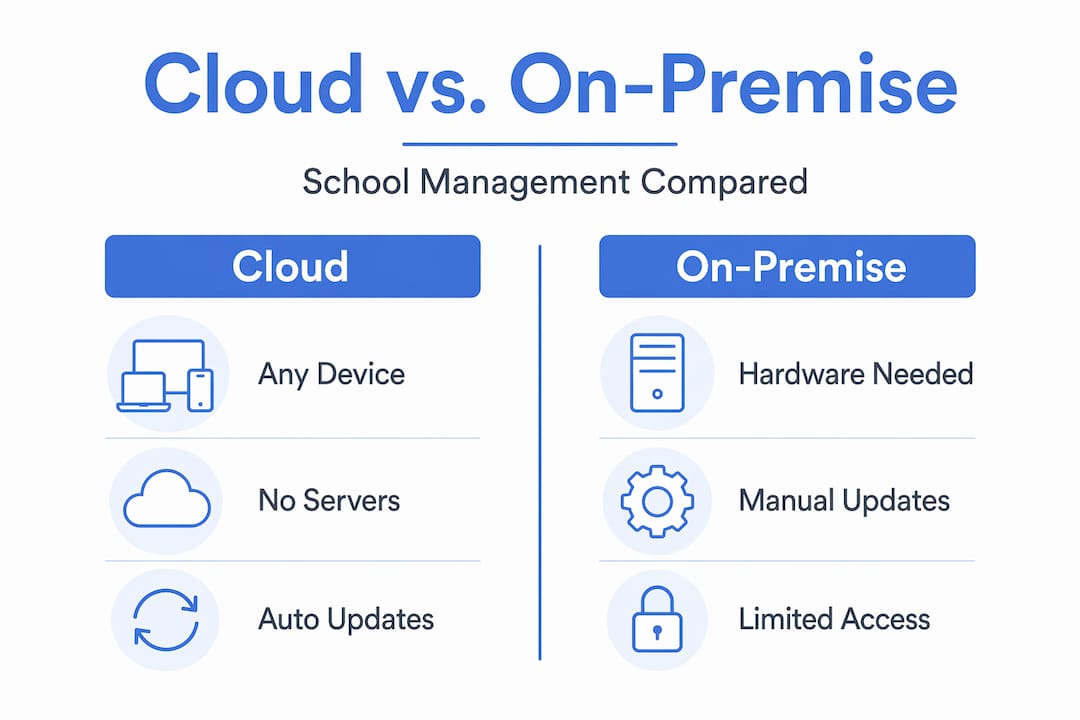
The decision between cloud and on-premise school management is not purely technical. It is operational, financial, and strategic. Here is an honest comparison of what each approach actually means for your school.
| Factor | Cloud-based system | On-premise system |
|---|---|---|
| Infrastructure cost | Subscription model; no server hardware needed | High upfront cost for servers and licences |
| Maintenance | Handled by the vendor, including updates | Requires in-house IT staff or contracted support |
| Accessibility | Accessible from any device, any location | Restricted to school network unless VPN is configured |
| Scalability | Scales easily as pupil numbers change | Requires hardware upgrades to scale |
| Customisation | Configuration within vendor parameters | Deeper customisation possible but costly |
| Vendor dependency | Risk of lock-in if data export is restricted | Full control over your own infrastructure |
| Implementation time | Weeks to months, faster rollout | Months to years, more complex deployment |
On-premise systems offer greater customisation but require more IT resources and restrict access in ways that are increasingly impractical for modern schools. For most UK schools, particularly those without a dedicated IT team, the cloud model is simply more manageable.
The vendor lock-in risk is real and worth taking seriously. Before committing to any platform, confirm that you can export your data in a standard format, that you retain ownership of all records, and that there is a clear exit clause in the contract. These are not pessimistic questions. They are responsible ones.
For multi-academy trusts, the advantages of online school management multiply significantly. A MAT operating across eight schools on a shared cloud platform sees consolidated reporting, consistent data standards, and much faster responses to governance requests from trustees.
How to implement cloud management effectively
Selecting a platform is only the beginning. Successful implementation depends on needs assessment, stakeholder involvement, and hands-on training. Schools that skip this stage often find themselves with powerful software that nobody uses correctly.
Start with an honest audit of what you currently have. Map your existing systems, identify where data is being entered more than once, and document the workflows that cause the most friction. This baseline gives you something concrete to improve against, rather than migrating old problems into a new system.
Stakeholder involvement is not a box-ticking exercise. Teachers who understand why the system is changing, and who have had input into how it will work, adopt it far faster than those who receive a log-in and a brief tutorial. The same applies to administrative staff and, where relevant, parents.
When it comes to integration, think carefully about the ecosystem you are building:
- Connect your cloud management system to your learning management platform so that assessment data flows in both directions.
- Integrate with your parent communication tools so that messages, alerts, and parental engagement features draw from the same pupil records.
- Link to any HR or payroll systems to avoid duplicate staff records.
- Consider whether your payment or trips management systems can be connected to reduce manual reconciliation.
Once the system is live, governance does not stop. Assign a named administrator who owns the platform configuration, reviews access permissions termly, and monitors usage data. Cloud technology in schools works best when someone is actively responsible for it, not when it is left to run on its own.
Pro Tip: Run a structured pilot with one year group or one department before full rollout. The feedback you gather in the first four weeks will save you from rolling out the wrong configuration to your entire school.
Data analytics deserves a mention here. The best cloud school platforms surface patterns you would never spot manually: attendance trends by year group, assessment gaps across subjects, communication open rates by parent cohort. Use these dashboards actively. They exist to inform your decisions, not just to satisfy an Ofsted inspection.

My honest take on cloud adoption in schools
I’ve worked closely with school leaders at various stages of their digital transformation, and the pattern I see most often is this: the technology is not the hard part. The governance is.
Plenty of schools have moved their data to a cloud system and found themselves with the same administrative chaos they had before, just hosted somewhere else. Moving to the cloud without operational oversight creates security gaps and inefficiencies that are harder to spot than on-premise problems, precisely because everything looks tidy on the surface.
What I’ve learned is that the schools which get genuine value from cloud management treat it as an organisational discipline, not an IT project. They appoint a system owner, they review access rights regularly, and they ask hard questions of their vendors about data residency and exit terms before they sign anything.
I’ve also seen something that surprises many administrators: the unexpected benefits. When a parent can log in at 10pm to check their child’s attendance record or receive an instant notification about a school closure, the number of calls to the school office drops noticeably. That kind of efficiency is hard to quantify in a business case, but it is very easy to feel once it is working.
Vendor selection matters more than most schools realise. A lower price from a vendor who cannot provide a Data Processing Agreement, or who stores your data in a jurisdiction without adequate protections, is not a saving. It is a liability.
— Ed
How eSchools supports your cloud management journey
If you are weighing up cloud school software options and want a UK-based partner who understands the compliance landscape as well as the operational reality, eSchools is worth a close look.

eSchools has spent over 14 years building digital tools specifically for UK schools and multi-academy trusts. The platform brings together communication, online learning, and school management functions in a way that is genuinely simple to use, without cutting corners on data security or GDPR compliance. Whether you are a single school looking to reduce administrative workload or a multi-academy trust seeking centralised oversight across multiple sites, eSchools offers a solution built around how UK schools actually operate. Explore the eSchools client work to see how schools like yours have made the transition.
FAQ
What is cloud-based school management?
Cloud-based school management is a web-hosted system that centralises student data, attendance, timetabling, communications, and administrative workflows. Staff access it from any device with an internet connection, and data updates in real time across all users.
How does cloud school software handle GDPR compliance?
Reputable cloud school platforms protect data through encryption, role-based access control, audit logging, and Data Processing Agreements. For UK schools, you should also confirm that data is stored within the UK or EEA, or that adequate transfer safeguards are in place.
What are the main benefits of cloud management over on-premise systems?
Cloud systems remove the need for in-house server infrastructure, allow access from any location, and scale as your school grows. They also shift maintenance and security update responsibilities to the vendor, reducing the burden on your IT staff.
How long does it take to implement a cloud school system?
Most cloud school management deployments take between four and twelve weeks from contract signing to full rollout. Timelines vary depending on data migration complexity, the number of integrations required, and the depth of staff training involved.
Can cloud school platforms integrate with other tools we already use?
Yes. The best cloud school platforms are designed as a central system of record that connects to learning management systems, payment platforms, HR tools, and parent communication apps. Confirming integration capability before purchase is a critical step in the selection process.