TL;DR:
- Many schools and trusts still rely on fragmented email and messaging tools, which are inadequate for effective collaboration. School collaboration software offers a structured, secure environment for communication, document sharing, and workflows, integrating seamlessly with existing systems like MIS and safeguarding tools. Prioritizing system fit, integration, and real-world workflows over features ensures successful implementation and improved operational efficiency across entire Trusts.
Imagine it is a Monday morning and your deputy head is chasing three different email threads, a teaching assistant is waiting on a safeguarding update that is stuck in someone’s inbox, and your trust’s central team has just sent out a policy document that contradicts last week’s version. Sound familiar? Many schools and multi-academy trusts (MATs) still rely on email and basic messaging apps for day-to-day operations, assuming these tools are sufficient. They are not. School collaboration software exists precisely to replace this fragmented, error-prone approach with something far more structured, secure, and effective across every level of your organisation.
Table of Contents
- Defining school collaboration software
- How collaboration software integrates with UK education systems
- Trust-wide collaboration: opportunities and challenges for MATs
- Safeguarding, compliance, and operational edge cases
- How to choose the right collaboration software for your school or trust
- Why MAT and school leaders should stop chasing features: our take
- Next steps: efficient collaboration for your school or trust
- Frequently asked questions
Key Takeaways
| Point | Details |
|---|---|
| Centralise communication | School collaboration software unifies messages, resources, and workflows for all staff and learners. |
| Integration is essential | Choose tools that connect with your MIS/LMS and handle real school edge cases. |
| Safeguarding is a must | Effective platforms support secure information sharing and compliance with safeguarding rules. |
| Trust-wide tools needed | MATs benefit most from platforms that coordinate communication and resources centrally. |
| Evaluate beyond features | Prioritise governance, staff buy-in, and alignment over flashy features in your software selection. |
Defining school collaboration software
The term “collaboration software” gets used loosely, so it is worth being precise. School collaboration software is digital software used in schools and across school trusts and MATs to help staff and learners work together, typically by centralising communication, document and resource sharing, and coordinated workflows across people, sites, and sometimes parents or other partner services. That definition immediately tells you this is not simply a group chat tool. It is a structured digital environment.
The core capabilities of a strong collaboration platform typically include:
- Instant messaging and channel-based communication for staff teams, year groups, or departments
- Video conferencing and virtual meeting spaces for CPD, governance, and multi-site coordination
- Collaborative document editing so that policies, lesson plans, and assessments can be co-authored in real time
- File sharing and version control to ensure everyone is working from the most current materials
- Assignment and task management tools for both staff workflows and pupil learning
- Centralised hubs or intranets acting as a single source of truth for resources and announcements
Users span the full breadth of school life. Teaching staff, support staff, senior leaders, IT coordinators, governors, and in some configurations, pupils and parents all interact through these platforms. Tools such as Microsoft Teams, SharePoint, collaborative wikis, and shared planning environments are common examples in UK schools. Research on online collaboration in UK schools consistently shows that more than 55% of UK teachers now use some form of online collaboration in their professional practice.
| Capability | Example tools | Primary users |
|---|---|---|
| Communication and chat | Teams, Slack alternatives | Staff, SLT |
| Collaborative documents | SharePoint, Google Workspace | Teachers, admin |
| Video meetings | Teams, Zoom for Education | Governors, MAT leaders |
| Resource hubs | Intranet platforms, wikis | All staff |
| Learning management | VLEs, assignment tools | Teachers, pupils |
Understanding which capabilities your school actually needs is the essential first step. The range of digital classroom tools available in 2026 is genuinely impressive, but breadth of features should never be confused with fitness for purpose.
How collaboration software integrates with UK education systems
After understanding what school collaboration software is, the next layer is how these tools actually fit within the complex realities of UK school systems. This is where many procurement decisions either succeed or fail.
In the UK, collaboration functionality is frequently delivered as part of a broader edtech stack rather than a single tool, sitting alongside Management Information Systems (MIS) and Learning Management Systems (LMS). This means attendance records, cohort groupings, timetables, safeguarding workflows, and classroom activities must all align. The key integration standards to look for are LTI 1.3 (which enables single sign-on and tool interoperability) and OneRoster (which allows pupil and staff data to flow accurately between systems).
Here is what genuine integration looks like in practice:
- Data sync: Pupil and staff records are maintained in your MIS (such as SIMS, Bromcom, or Arbor) and automatically reflected in your collaboration platform without manual entry.
- Group and cohort alignment: Class groups, year groups, and staff teams created in the MIS are automatically available in the collaboration tool, reducing duplication and error.
- Timetable mapping: Lessons, cover arrangements, and room bookings align across systems so that digital resources match the physical timetable.
- Safeguarding workflow integration: Alerts and flags in your safeguarding software can trigger or inform the relevant people within the collaboration environment without breaching confidentiality.
- Compliance and audit trails: Actions taken in the platform are logged, supporting your obligations under GDPR and DfE statutory requirements.
Exploring the top edtech solutions available for UK schools reveals a clear pattern: the platforms that deliver the most value are those that connect cleanly with existing MIS data rather than sitting in isolation. Understanding school communication software benefits also makes clear that integration is not optional. It is foundational.
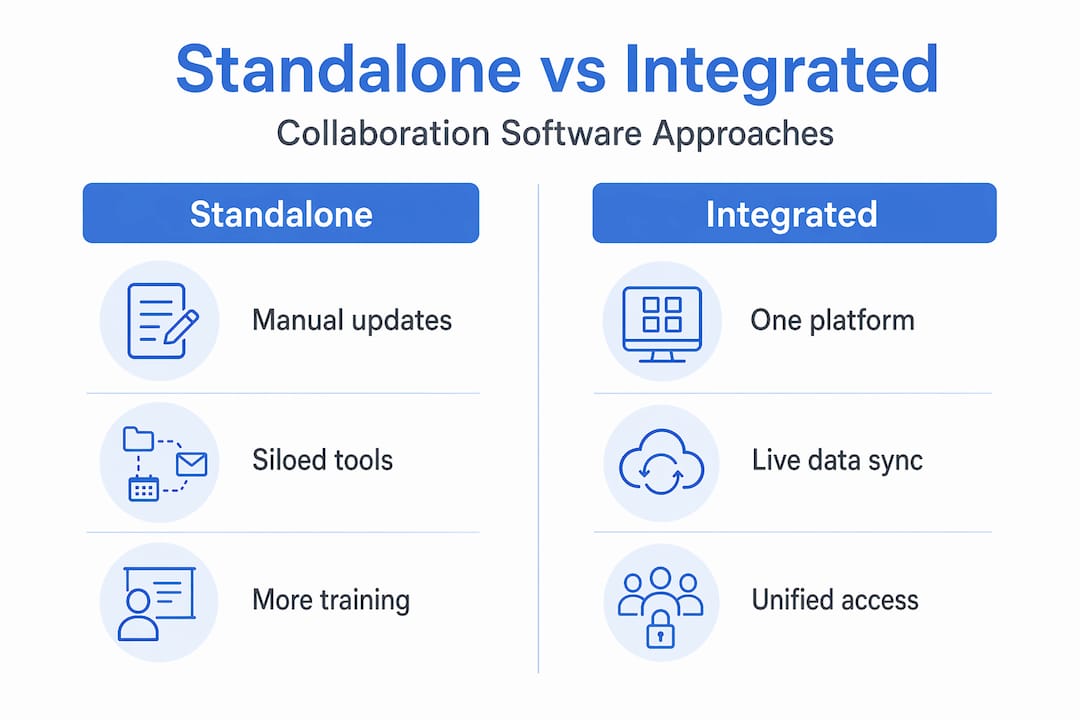
| Feature area | Standalone tool | Integrated platform |
|---|---|---|
| Pupil data accuracy | Manual updates required | Automatic MIS sync |
| Staff group management | Separate setup needed | Inherited from MIS |
| Safeguarding alignment | Limited | Built-in workflow support |
| Audit trails | Partial | Comprehensive |
| Onboarding new schools (MATs) | Complex and slow | Streamlined |
Pro Tip: Before committing to any platform, ask the vendor to demonstrate how their software handles real-life edge cases in your school context. These include dual placements, mid-year admissions, pupils with restricted information flags, and staff on shared or split sites. If the vendor cannot show you a working example, treat that as a significant warning sign.
Trust-wide collaboration: opportunities and challenges for MATs
With integration clarified, it is time to explore what collaboration software means on a larger scale for multi-academy trusts, where the stakes and the complexity both increase considerably.

For MATs, centralised collaboration platforms reduce administrative burden and support trust-wide communication, resource sharing, and coordination across schools. A fragmented approach, where each academy uses different tools and processes, creates exactly the kind of inefficiency and governance risk that trust leaders are trying to eliminate.
The benefits for MATs operating a unified collaboration platform include:
- Consistent policy distribution with version control, so every school works from the same document
- Shared resource libraries that allow curriculum teams to collaborate across sites
- Trust-wide announcements reaching all staff simultaneously without relying on each school’s individual email lists
- Centralised onboarding for new schools joining the trust
- Governance visibility allowing trust leaders to monitor compliance and engagement across academies
- Reduced duplication of effort in areas like CPD planning, HR processes, and finance reporting
Survey data around platforms such as Arbor indicates that over 60% of MATs using integrated management systems report meaningful improvements in trust-wide collaboration. That figure reflects a real shift in how trusts operate when they move away from fragmented toolsets.
“For multi-academy trusts, the right collaboration platform is not just a communication tool. It is infrastructure. It shapes how quickly decisions travel, how consistently policies are applied, and how well new schools are absorbed into the trust’s culture.”
The challenges are equally real. Governance and policy version control become genuinely complex when multiple academies have different starting points. Onboarding a new school mid-year requires careful planning to avoid data conflicts. Staff resistance is common, particularly when a school has used the same local tools for years.
Explore how MAT websites and trust-wide control can support your governance structure, and read practical guidance on how to improve MAT communication across your academies.
Pro Tip: When evaluating platforms for your trust, prioritise those that allow you to manage communication, resources, and policies from a central point while still giving individual academies appropriate autonomy. A one-size-fits-all approach that removes all local flexibility often meets resistance and reduces adoption rates.
Safeguarding, compliance, and operational edge cases
Beyond MAT-level use, safeguarding and compliance are make-or-break considerations for any school leader evaluating collaboration software. This is not an area where you can afford to discover gaps after implementation.
A major practical edge case in school collaboration tool implementations is safeguarding and multi-agency information sharing, where schools and local authorities need secure, consistent collaboration so that the right people can see the right information at the right time. Platforms such as CPOMS Engage exist specifically to address this need, providing controlled access to sensitive pupil information across authorised professionals.
In practical terms, safeguarding-aware collaboration software should handle:
- Controlled access by role and need: Not every member of staff should see every safeguarding record. Role-based permissions ensure that visibility is appropriate and auditable.
- Multi-agency information sharing: Social workers, SENCO leads, health professionals, and school staff often need a shared, secure space to coordinate around a child’s welfare.
- Pupil transition management: When a pupil moves school, the relevant safeguarding information must transfer securely and promptly without relying on individual email chains.
- Dual placement scenarios: Pupils attending two settings simultaneously require careful information management across both environments.
- Leaver and starter processes: When staff join or leave, their access must be updated instantly. Delayed off-boarding is a common and serious compliance risk.
“Safeguarding is not a feature you bolt onto collaboration software. It is a lens through which the entire platform must be designed and evaluated.”
Compliance does not stop at safeguarding. GDPR obligations require that personal data is processed lawfully, stored securely, and accessible only to authorised individuals. Audit trails, data retention policies, and breach notification processes must all be supported by your chosen platform.
Strengthening online learning security is a related priority, and understanding the education sector cybersecurity landscape will help you frame your requirements clearly when speaking with vendors.
How to choose the right collaboration software for your school or trust
With a practical grasp of the ecosystem, the next question is how to select software that genuinely improves your organisation rather than adding another layer of complexity.
Selection goes well beyond feature lists. The most important question is whether the software supports your actual workflows, your specific cohorts, and your governance requirements. As independent analysis from The Key Group cautions, some collaboration outcomes claimed in vendor materials can be overstated unless supported by disciplined implementation. Independent survey results can indicate collaboration improvements, but selection should still be validated against your own context, workflows, and edge-case cohorts.
Use this framework when evaluating your options:
- Needs analysis: Map your current communication and collaboration pain points across staff, pupils, and leadership. Identify where time is lost, where errors occur, and where safeguarding or compliance risks exist.
- MIS and LMS integration check: Confirm that the platform integrates with your MIS using recognised standards such as LTI 1.3 or OneRoster. Ask for a live demonstration with your actual MIS, not a generic one.
- Compliance and safeguarding review: Ask vendors for documentation of how their platform supports GDPR, data retention, role-based access, and safeguarding workflows. Request references from schools with similar safeguarding requirements to yours.
- Edge-case validation: Test the platform against your specific operational edge cases. These include mid-year admissions, staff on split sites, pupils with restricted flags, and multi-agency access scenarios.
- Staff input and engagement: Involve teachers, support staff, and IT coordinators in the evaluation process. A platform that staff find intuitive is far more likely to be used consistently and correctly.
Common pitfalls include buying for impressive features that no one in your school will actually use, ignoring the needs of edge-case cohorts until they create compliance problems, and underestimating the cultural change required to shift staff away from entrenched habits.
Read further guidance on how to boost school communication through thoughtful digital engagement strategies.
Pro Tip: Stress-test vendor claims by presenting three or four real scenarios from your own school or trust. Ask the vendor to walk you through exactly how their platform handles each one. Vendors confident in their product will welcome this. Those who deflect or give vague answers are telling you something important.
Why MAT and school leaders should stop chasing features: our take
Here is an honest observation earned from working with schools and MATs across the UK. The leaders who struggle most with collaboration software are rarely those who chose the wrong product. They are those who focused on features rather than fit.
It is tempting to evaluate platforms on capability checklists. Does it have video? Does it have analytics? Does it have a mobile app? These questions matter, but they are secondary. The more important questions are whether the platform connects cleanly with your existing systems, whether your governance structure is reflected in how it controls access and visibility, and whether your staff will actually use it as intended.
Three mistakes appear repeatedly in schools that struggle with collaboration tools. First, buying for bells and whistles rather than real workflow alignment. A platform with fifty features that your staff use three of is not an asset. Second, ignoring actual workflows during procurement. If your evaluation panel never includes a class teacher, a SENCO, or a school business manager, you will buy for leadership needs and fail at the operational level. Third, treating implementation as a one-off technical event rather than an ongoing process of culture change. Tools do not change behaviour. Embedded, supported habits do.
A leaner, tightly integrated stack almost always outperforms a cluttered one. We have seen schools abandon feature-rich platforms because they created more noise than clarity. The schools that succeed are those where every tool in the stack has a clear purpose, connects cleanly with adjacent systems, and is actively supported through training and governance.
Review school software best practices to ground your decision-making in what genuinely works for UK schools.
Pro Tip: Make governance and training non-negotiable budget items in any collaboration software purchase. A platform without structured onboarding and clear governance policies will underperform regardless of its technical quality.
Next steps: efficient collaboration for your school or trust
If this guide has clarified what school collaboration software can genuinely deliver, the next step is finding solutions that align with how your school or trust actually operates.

At eSchools, we work with schools and MATs across the UK to provide digital platforms that bring communication, resources, and operational processes together in one place. Whether you are a single school looking to replace fragmented email chains or a growing trust seeking consistent, trust-wide collaboration, our solutions are built with UK compliance, safeguarding, and real school workflows in mind. Explore how MAT websites and centralised digital tools can transform your trust’s operational efficiency. Read about online collaboration results from schools like yours, or browse real-life MAT case studies to see what effective, integrated collaboration looks like in practice.
Frequently asked questions
What features should UK schools prioritise in collaboration software?
Look for integration with your MIS, secure role-based communication, strong access controls, and built-in support for safeguarding and GDPR compliance. UK IT integration guidance is clear that the MIS remains the authoritative source for pupil and staff records, so any platform must sync accurately with it.
How does collaboration software improve safeguarding in schools?
It enables secure, real-time information sharing so that only authorised professionals access sensitive pupil data when it is genuinely needed. Multi-agency information sharing is one of the most complex and critical use cases, requiring platforms specifically designed for controlled, auditable access.
Can collaboration software link with other school systems like timetables and attendance?
Yes, modern platforms integrate with MIS and LMS systems to align automatically with attendance records, timetables, and classroom activities. Collaboration functionality is most effective when delivered as part of a broader, connected edtech stack rather than as a standalone tool.
What is the biggest mistake UK schools make with collaboration tools?
Choosing based on features alone rather than on real workflows, staff input, and integration with compliance systems is consistently the most damaging error. As independent analysis confirms, collaboration outcomes can be overstated in vendor materials unless selection is validated against your own operational context and edge-case cohorts.